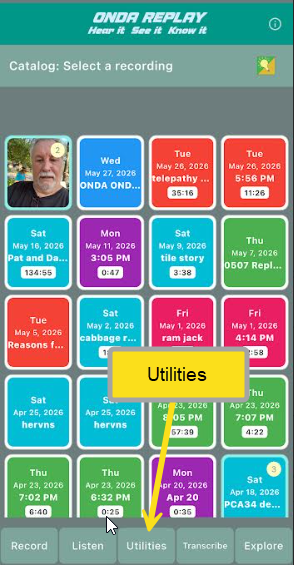
ONDA Replay is a free app for iPhone and iPad.
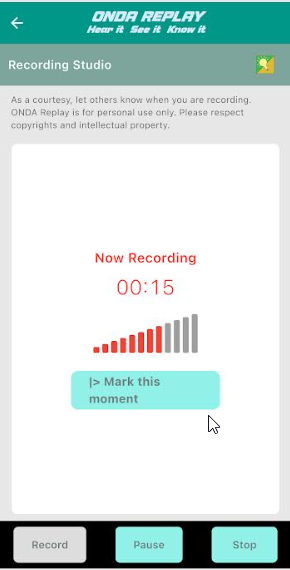
Record: Open Replay and tap record. That's it. Talk, meet, listen to a podcast, sit in on a presentation. Replay captures the audio cleanly in the background while you stay present in the conversation.
Tap stop when done and additional options are available

How it works

Create a cover A cover for the recording will help you identify the recording later. Replay creates a default cover with a date and recording length, but more useful strategies are available and at your fingertips.


Choose: Select from your most recent recordings to
To update the cover
Listen or translate (free), or
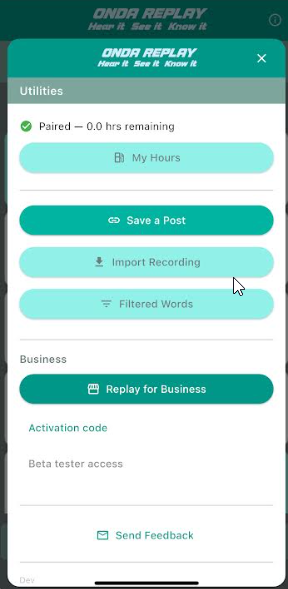
Transcribe (with subscription)
for a Karaoke-like experience that lets you listen and read at the same time.

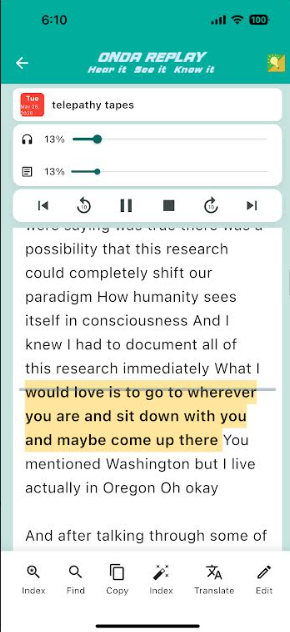

Controls for the audio and transcript are intuitive. Scrub the transcript to adjust it and the position on the audio and transcript scrub bar adjust automatically.
The transcript scrolls in sync with the audio. If you missed something, rewind the audio or scroll the transcript. If you want to jump to a specific moment later, tap a word in the transcript to create the audio index.
Index the recording using the transcript to map the audio recording. The transcript scrolls in sync with the audio. If you missed something, rewind the audio or scroll the transcript. If you want to jump to a specific moment later, tap a word in the transcript to create the audio index.


Explore recordings and find recordings using tags — your own words — not categories the app invented — to mark what matters. (see About)
Later, when you're trying to remember a particular recording or where something was said, your tags jog your memory and get you there in seconds.

Share Export your recording as an .onda file — audio, transcript, and index bundled together. Copy the transcript and paste it into an email ot text message. Send it to anyone. They open it in Replay and hear exactly what you heard, with the same transcript. Everyone starts from the same ground truth.
See it in action — browse real recordings