
Update notes
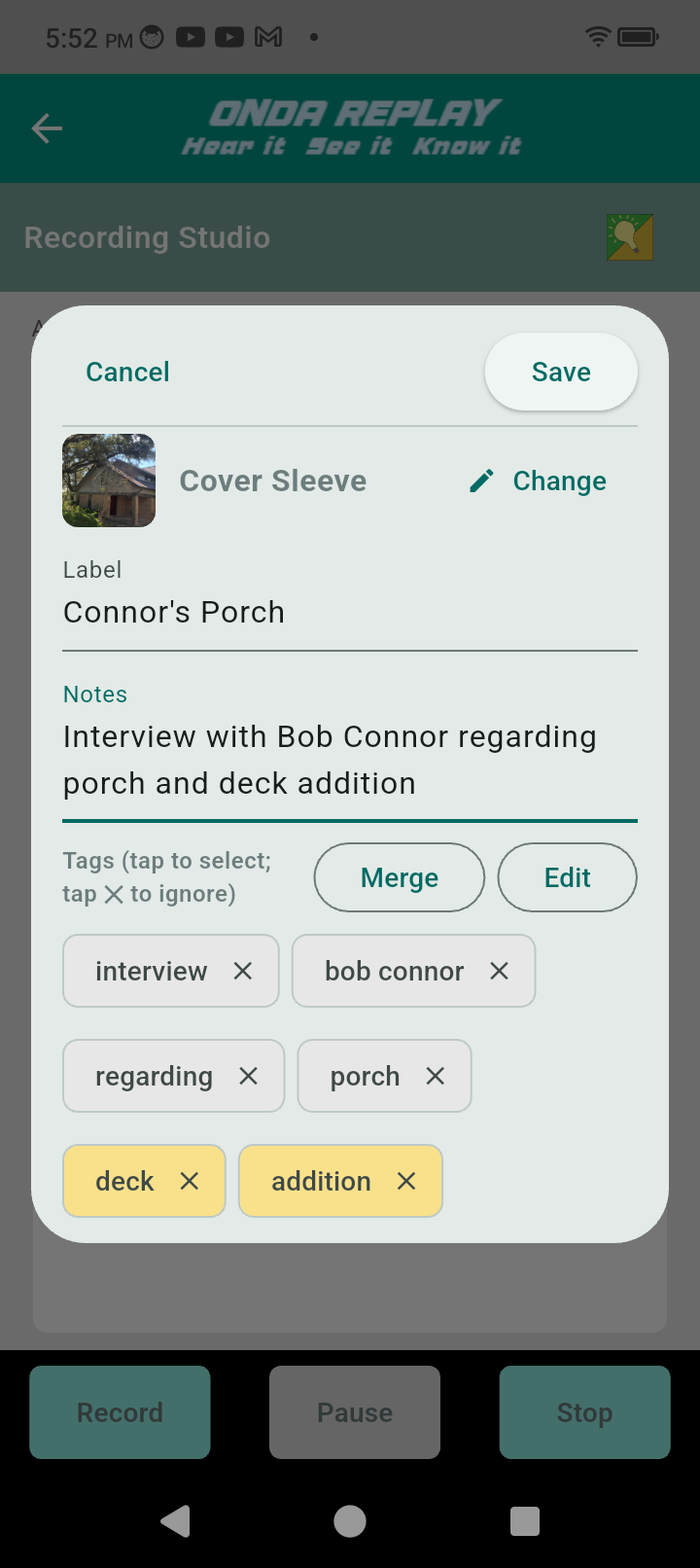
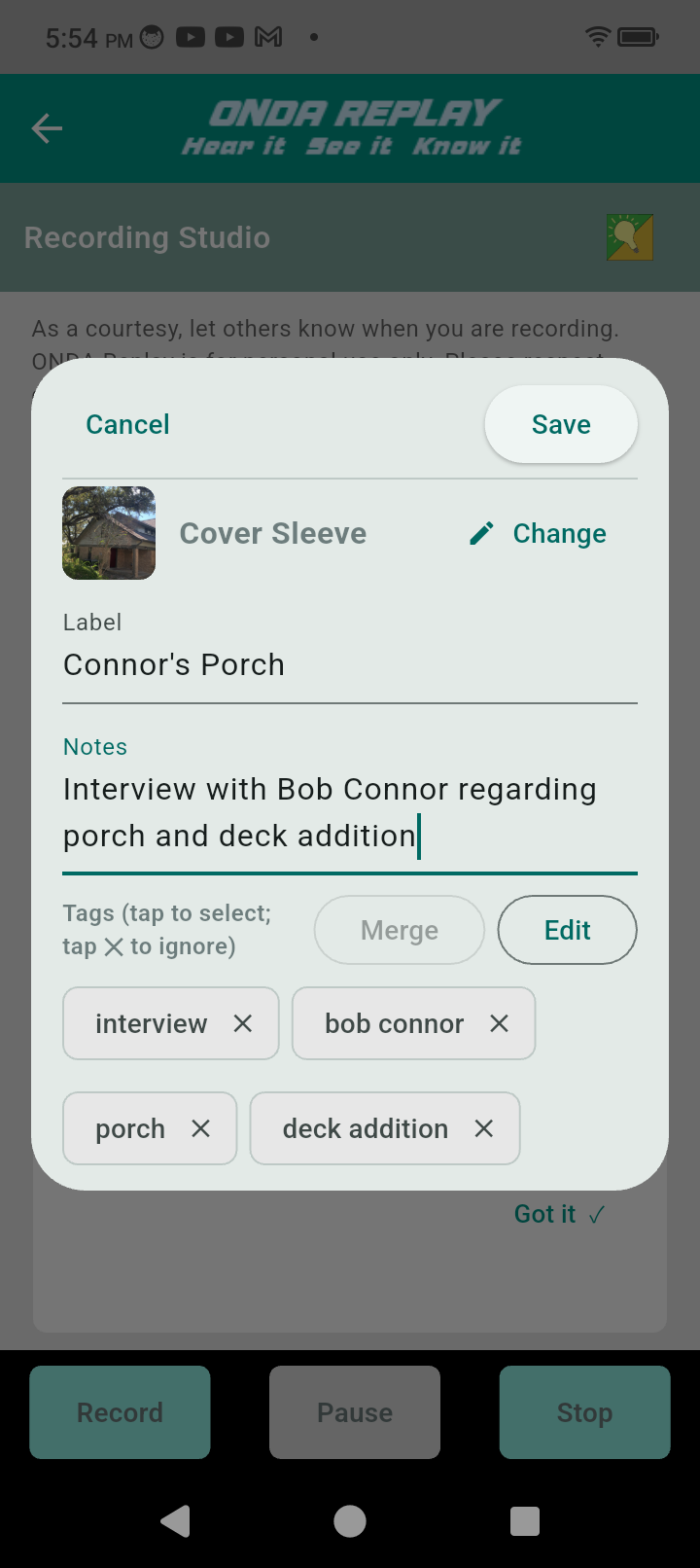
The notes you dictate or type generate Tags automatically as individual words. Sometimes the words are more useful to recall a recording later as two or three words merged together. “deck” and “addition” are like that in the example above.
Verbs are less useful describing anything. Tapping the “X” in the Tags removes that word from consideration as a tag.
The human mind works best finding associations and connections among large numbers of elements. Selecting a single tag in Replay automatically reduces the number of recordings displayed when you select a tag. Selecting a second tag will filter the recordings to only those with those two tags.
Visual inspection of cover images, labels, and notes enable you to locate one or a few related recording very very quickly because the tags establish context very quickly.
Additional steps: