
Understand the Catalog
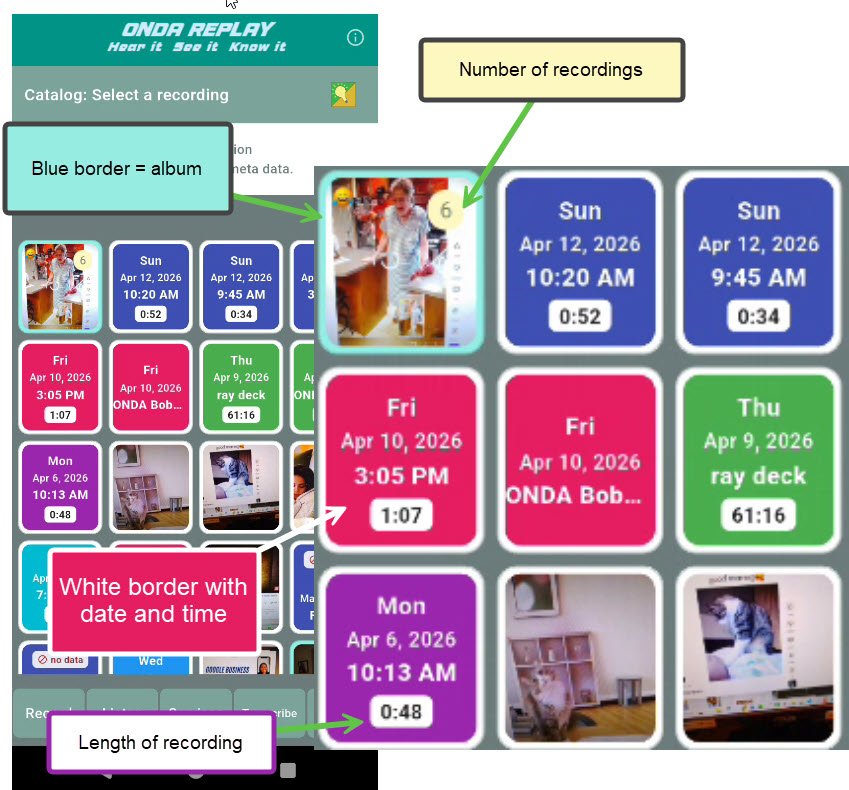
Information that is contained in the Replay catalog screen:
The default color background is different for each day of the week. The system sets the color.
A single recording has a white border, along with the recording label if there is one.
The white badge (bottom) displays the recording length.
The record sleeve or cover image helps you identify the recording. (User selected)
If two or more recordings share the same cover image they display a light blue border (upper left) and the number of recordings is displayed in a circular badge.
Additional steps: